




- Published on: 2026-11-24 10:41:00
How to Transfer Funds Between Trading Accounts (Internal Transfer)
Managing your funds effectively is a key part of a smart trading strategy. One of the most powerful tools at your disposal is your TradingPRO Wallet. But what exactly is a broker wallet, and how can you use it to your advantage?
Think of your trading wallet as your central financial hub within our ecosystem. It allows you to securely hold your funds separately from your trading accounts and perform an instant broker internal transfer between them, without the need for any external withdrawals or deposits.
This guide will show you the simple, step-by-step process for making a forex internal transfer.
Why Use the Internal Wallet?
Before we dive into the steps, here are the key benefits:
- Speed: Transfers between your wallet and trading accounts are instant, 24/7.
- Security: You can move profits from a live trading account into your secure wallet to protect them from market exposure.
- Flexibility: Easily manage capital across multiple trading accounts for different strategies.
The Step-by-Step Guide to Internal Transfers
Follow these simple visual steps to move funds seamlessly.
Step 1: Navigate to Your Accounts Overview
First, log in to your TradingPRO Client Portal. From the main dashboard, click on the 'Accounts' menu and select 'Accounts Overview' from the dropdown options.
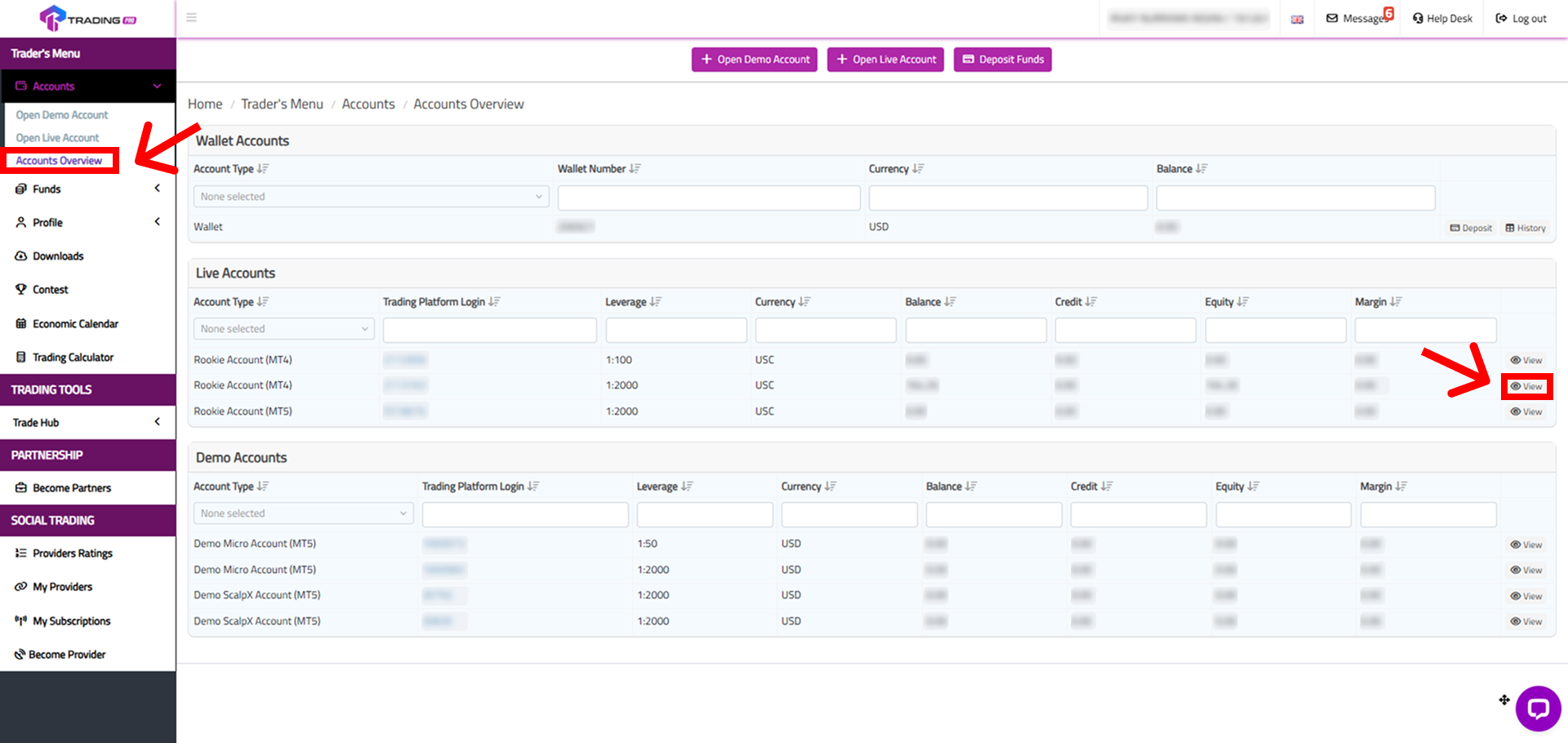
Step 2: Select the Account
You will see a list of your live and demo accounts. Find the trading account you wish to move funds from or to, and click the 'View' button next to it.
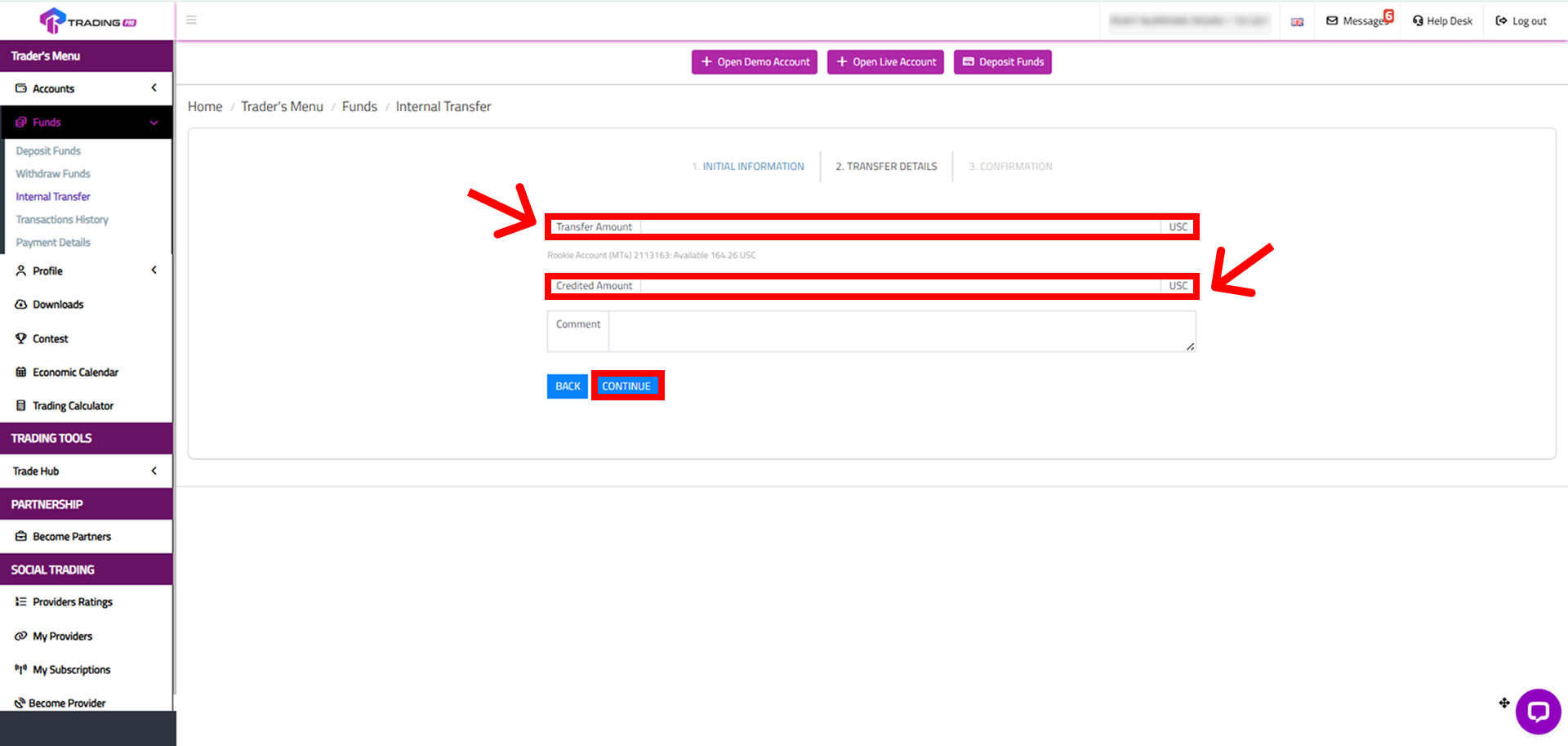
Step 3: Initiate the Internal Transfer
On the account details page, you will see several options. Click on the 'Internal Transfer' button to begin the process.
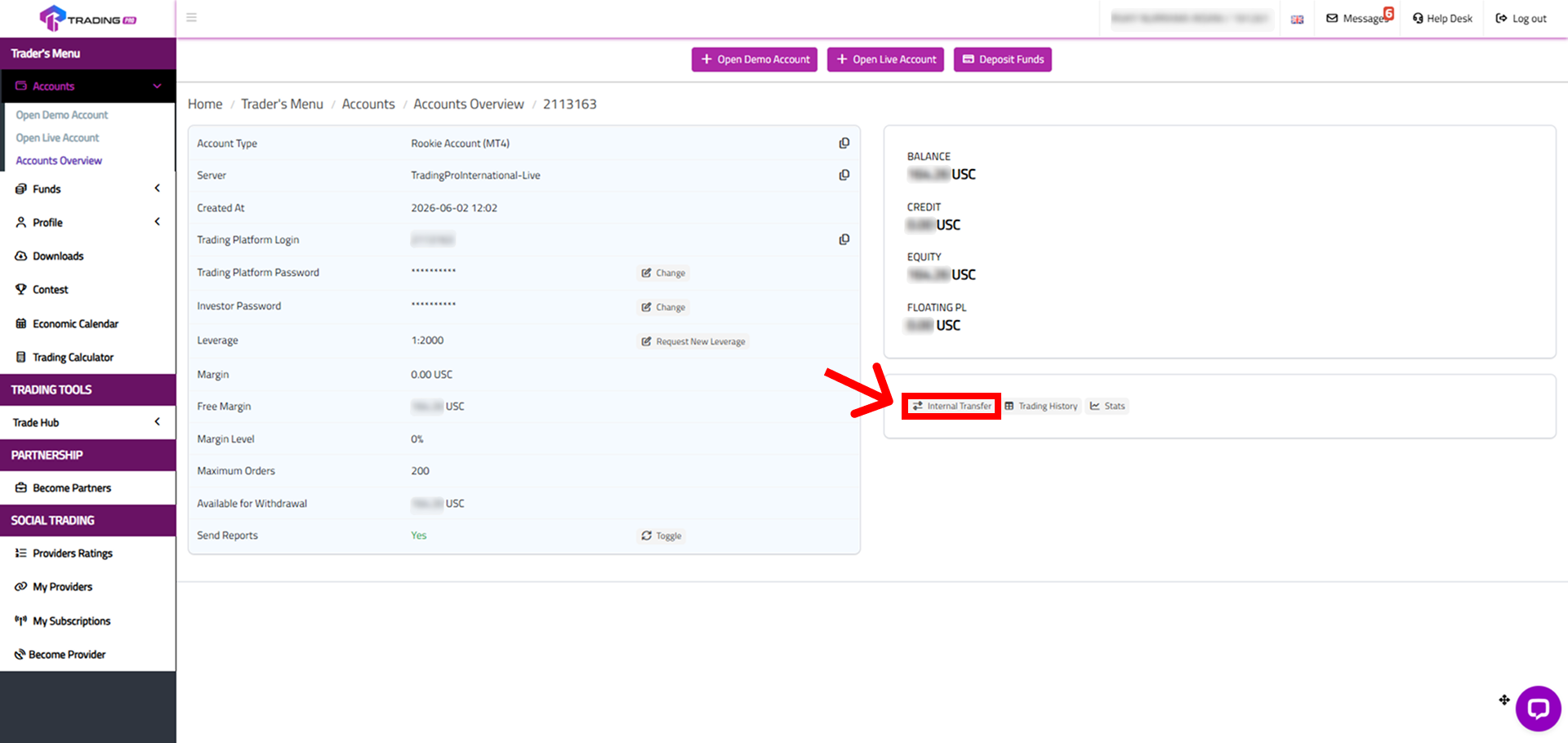
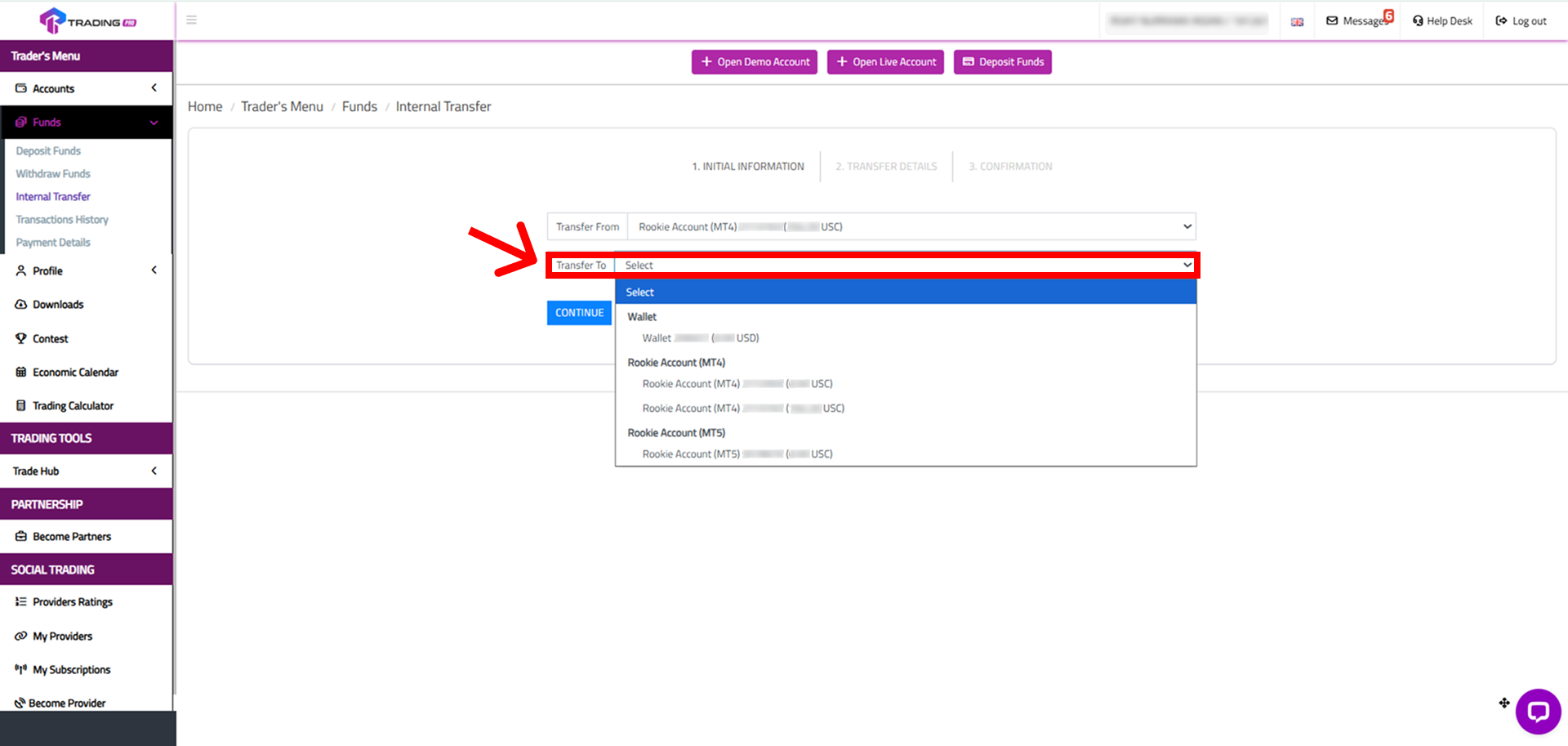
Step 4: Fill in the Transfer Details
This is the main transfer screen. Here you will define the transaction:
- Choose where to transfer FROM: Select the source account (e.g., your Wallet or another trading account).
- Choose where to transfer TO: Select the destination account.
- Enter the Transfer Amount: Type in the exact amount you wish to move.
- Add a Comment (Optional): You can add a personal note for your records if you wish.
Step 5: Confirm and Complete the Transfer
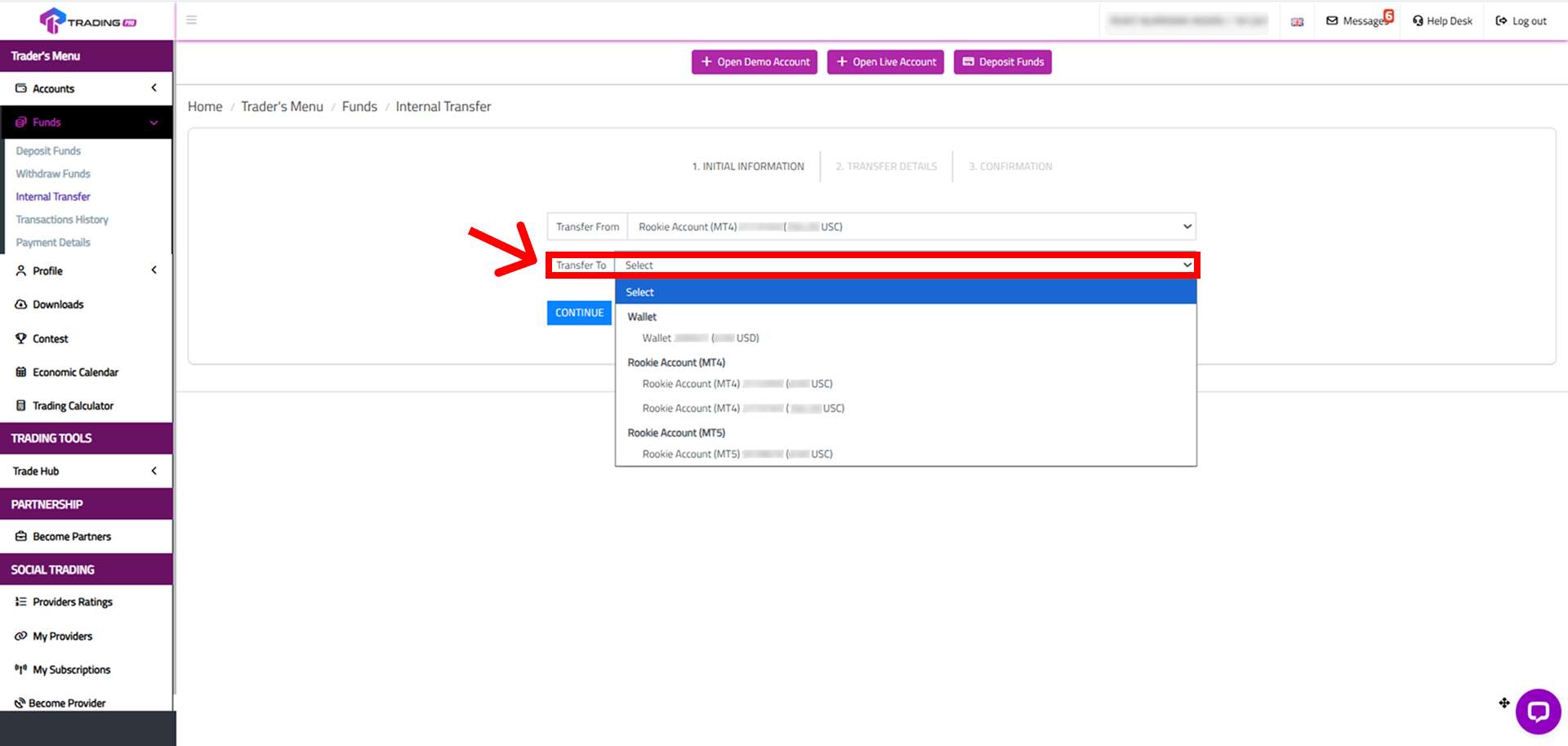
After clicking 'Continue', a final confirmation page will appear, showing a complete summary of your transaction. Review this information carefully.
Once you are sure the details are correct, click to confirm. The transfer will be processed instantly.
That's it! You have successfully completed an internal transfer.
Master Your Fund Management Today
Using the trader wallet is a simple yet powerful skill for efficient capital management. It gives you full control over your funds, allowing you to react quickly to market conditions and secure your capital with ease.
Log In to Your Client Portal to Make an Internal Transfer Now!


